
Tell your AI what peptide you need: RevoPSy now plans the synthesis
· László Molnár · Software, Peptides
What if you could just tell your AI assistant which peptide you need? With RevoPSy v2 you can. An assistant, an API key and two links were enough for it to pick the resin, judge how hard two peptides are, adjust the couplings residue by residue and save a ready plan. One conversation, no clicking.
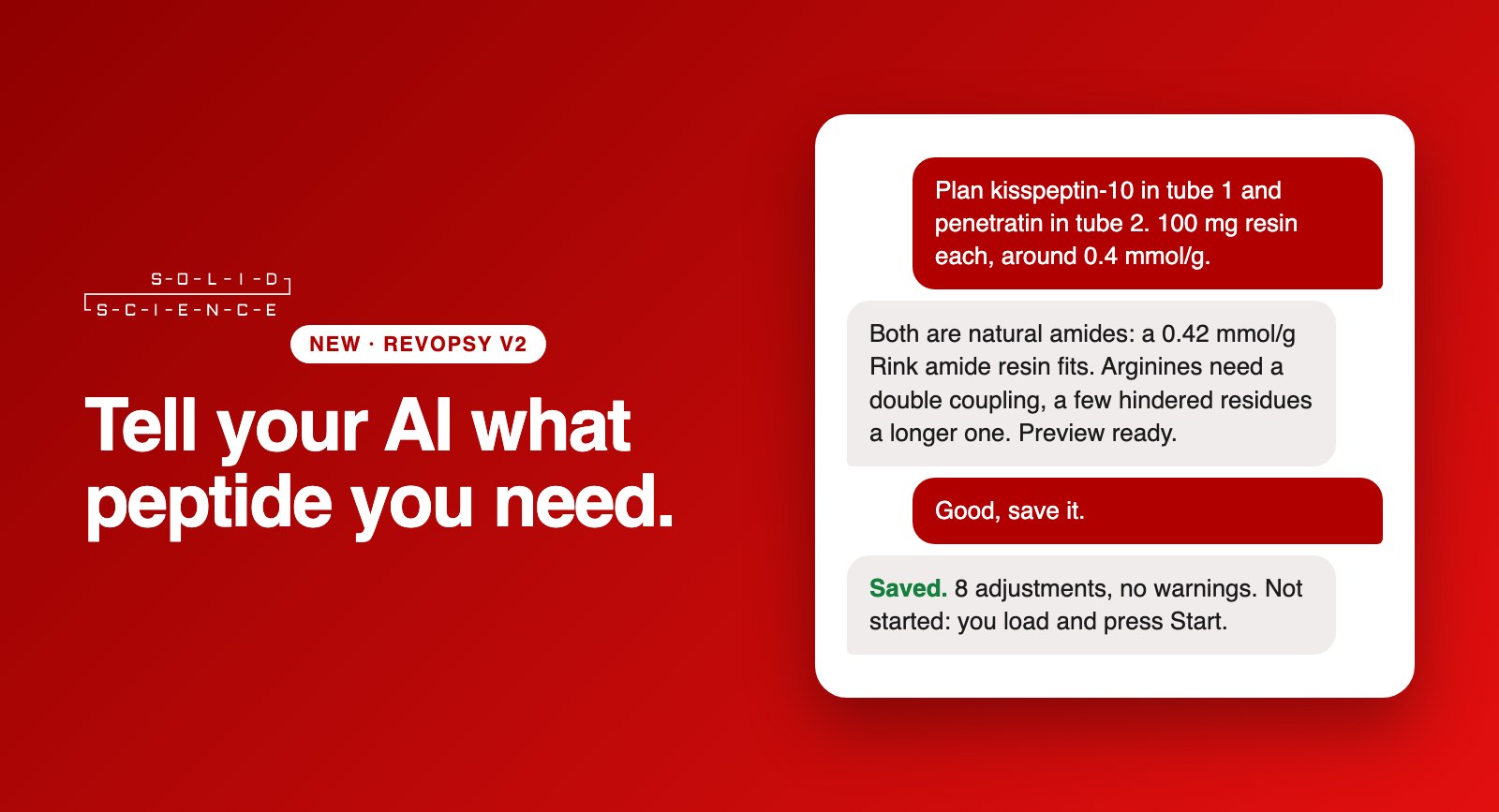
A real conversation
We tried it ourselves, with a real request on a real RevoPSy system. The request: plan kisspeptin-10 in tube 1 and penetratin in tube 2, each on 100 mg of resin, around 0.4 mmol/g.
Penetratin: difficult. Seven changes: double couplings for the three arginines, and 1.5× longer couplings for the methionine, the two isoleucines and the glutamine. Every change comes with its source.
peptides planned in one chat
residue-specific adjustments, each with its source
runs the AI can start
It did not just obey. It explained.
The assistant chose the resin that matched the request and said why it fits the molecule. It then did what a careful colleague would do: it checked the difficulty first and applied only the changes RevoPSy backs with evidence. The arginines got double couplings, the hindered stretches longer ones, the easy residues were left alone, and every change can be traced to the literature behind it.
How it works
- Make a key. In your RevoPSy account, Account → API access. Choose Look or Plan and how long the key lives (up to 90 days). You can revoke it at any time.
- Give the assistant the address. RevoPSy describes itself: an OpenAPI description and a plain-language guide for assistants are served by the system. Claude Desktop and Claude Code can use our ready-made MCP server instead.
- Ask. The assistant reads the catalogue, checks how difficult your sequences are, compares the options and stores the plan you choose. You find it in your run list, ready to load.
Why it matters
Peptide synthesis planning is full of small, expert decisions: which couplings to double, where aspartimide threatens, how much of what to load. RevoPSy already knows these rules. Now anyone can reach them by describing the peptide they want, and the knowledge stays in one auditable place instead of in someone’s head.
Try it in the live demo →
Free · every job is only a simulation · guide for AI assistants
Try it yourself
Create a free demo account, make a key under Account → API access and ask your assistant to plan something. In the demo nothing is synthesized, so you cannot break anything. If you would like to run your own peptide on the real instrument, ask for a free trial synthesis: write to info@solidscience.eu.
The demo is described in our earlier news; how we handle your data is in the privacy policy.